


24/7 IT Support • Co-Managed IT
• Outsourced IT Services • Cybersecurity
Your 24/7 Outsourced IT Support Company in Westchester
IT services tailored for businesses in Westchester
24/7 IT support delivered by real human technicians
32 years of experience in delivering IT solutions for our clients

How Can We Help?
Struggling with slow tech, recurring issues, or unresponsive support?
Fill out the form below and our team will reach out to schedule a free 15-minute call with Cloud 9, Westchester’s trusted IT support company. No pressure, just expert advice on streamlining your IT and protecting your business.

Scott Drassinower, CEO
We're The Westchester outsourced IT Support Company That's Committed To Supporting Business Growth

Delivering Enterprise-Grade Outsourced IT Services Combined with a Local, Personalized Touch Since 1993
Your technology should never slow you down; it should accelerate your success. At Cloud 9, we are more than just an outsourced IT service provider based in White Plains. We are a 24/7 outsourced IT support company in Westchester that serves as a true strategic partner. We take the time to understand your operations, your long-term goals, and how technology can help drive growth.
Cloud 9 provides 24/7 IT support to Westchester businesses, so whether a problem hits at 9 AM or 11 PM, you reach a real local technician, not an offshore call center.
Since 1993, Cloud 9 has been recognized as a reliable, responsive, and results-driven Westchester IT support company. Businesses that expect more from their technology trust us to deliver consistent value and expert support.
Whether you are a fast-paced startup in Yonkers or a well-established firm anywhere in Westchester, Cloud 9 is an outsourced IT services provider in Westchester that offers proactive expertise and dependable local support to keep your business secure, efficient, and competitive.
Let us help you simplify your IT and build a stronger, more secure future with a trusted local IT support company in Westchester by your side.
Our carefully developed approach to outsourced IT support is based on our
Three Pillars of Undeniably Effective Customer Service


Understand Your Business' Needs
Respond Quickly When You Need Help
Eliminate Your Problems For Good
Struggling With Technology That Slows Your Business Down?
It's Probably Because of One of These Common Problems...
Tech Problems Pile Up Without Real Support
When your business doesn’t have a reliable local IT support company in place, small tech issues turn into major headaches. You shouldn’t have to chase your MSP, wait 45 minutes, or wonder if anyone is going to call back. A dependable outsourced IT support company is the difference between frustration and fast resolution.
Too Many Vendors, No Clear Alignment Strategy
When you’re working with scattered, unaligned tools and hopelessly disconnected service providers, the big picture is going to get lost in the process. An IT support company in Westchester like ours can streamline your technology stack, manage vendors, and provide a clear strategy that aligns with your goals.
In-House IT Can’t Handle It All By Themselves
Even your best internal tech resource needs backup. One person can’t manage every vendor, monitor every system, apply every update, and stay ahead of every threat. Partnering with an experienced IT support company gives your in-house team the support and bandwidth they need to succeed.
Looking for outsourced IT Services That Really Help Your Business?
You Deserve IT Services That Perform Consistently, Day in and Day Out.

At Cloud 9, we believe your technology should work so well that you forget about it. Your IT should quietly support your business every single day, allowing you to focus on your work. An IT support company like ours will ensure your systems are stable so your team can stay focused and your business can keep moving forward. We achieve this by being proactive instead of reactive.
From long-term infrastructure planning to rapidly addressing unexpected issues, we're the 24/7 outsourced IT services provider that delivers a suite of IT services and solutions with one goal in mind: ensuring your technology is always an asset, and never a liability.

Delivering Long-Term Results Through Proven IT Support
Decades of Real-World Experience
With over 30 years' experience serving businesses in Westchester, we are an IT support company that brings deep insight and practical experience to every engagement. There’s no guesswork and no shortcuts in the work we do for you.
Built for Resilience
We’ve helped clients stay online through countless power and internet disruptions. As an experienced IT support company in Westchester, we build with failure in mind so your business doesn’t feel the impact in the rate instance that it happens.
True Co-Managed IT
Our Westchester co-managed IT services are built to support and extend your internal team. As your IT support company, we collaborate rather than compete, giving your teams the resources they need to focus on bigger business goals.
Clients Who Stay for Decades
Some of our clients have kept Cloud 9 as their IT support company in Westchester of choice for 10, 15, even 25 years. That loyalty is hard-earned, and the product of consistent performance, committed service, and undeniable business benefits.
Unlock Better Performance and Security with Proven Outsourced IT Support in Westchester
A quick 15-minute chat can help determine if Cloud 9 is the right Westchester IT support company for you. Whether you need fully managed IT services or support for your in-house team, we’re here to help.
Call us at (914) 696-4100 or complete the form to start the conversation, no pressure, just clarity.
What Happens Next?
Fill out our quick form.
We’ll schedule a brief call.
Together, we’ll plan the next best step.
The Foundational Values of Our IT Support Company
Understand Your Business' Critical Needs
We’re not a generic provider; we’re an IT support company that takes the time needed to understand your unique business model, industry-specific challenges, and internal workflows. Whether you’re managing compliance concerns, supporting a remote workforce, or preparing to scale, we are the IT support company in Westchester that will tailor our managed IT services to your needs.
Eliminate Your Technology Problems For Good
Being an effective IT support company means going beyond simply fixing problems when they occur (and however many times they occur). Instead, we focus on preventing them from happening in the first place, and resolving them for good when they do. Through proactive monitoring, iron-clad security, and more, we help eliminate recurring IT issues and create a stable environment for growth.
Respond Quickly When You Need Help
Every second matters when your business' technology fails. One benefit of being a local IT support company in Westchester is that we can provide real-time response, live help desk support, and expert remote troubleshooting whenever you need it. Local companies choose us as their IT support company because they know we'll minimize downtime and ensure operations stay on track.
Why Choose Cloud 9 as Your Outsourced IT Services Partner?
Here’s what sets us apart from the other Westchester IT Support Companies:
Proactive IT Planning
As your IT support company, we focus on anticipating problems before they effect your team. We proactively plan your business' infrastructure so you’re not stuck reacting, rebooting, or recovering. Smarter systems mean fewer surprises and more uptime.
Resilient by Design
As an experienced IT support company, we know that our clients' systems need to be resilient. From cyberattacks to natural disasters, we develop IT environments that can be relied on to keep your business online and productive when others go dark.
Personalized Relationships
Working with a local IT support company in Westchester like ours means not having to put up with anonymous, impersonal ticket queues. Businesses that work with us enjoy friendly and fast support from dedicated teams who know their systems inside and out.
Business-First Thinking
Part of our success as an IT support company is thanks to our ability to see beyond IT itself. Our services prioritize ROI, uptime, and long-term objectives to help our clients do what they do even better. Any and all technical decisions are made and aligned with real business performance goals.
Flexible Support Models
We don't expect our clients to replace their IT teams with us. Whether a business needs fully managed services or co-managed support, we're an IT support company that adapts to your needs, augmenting their internal IT resources to ensure every tech-based task is handled.
Tailored, Not Templated
One-size-fits-all IT support companies in Westchester do not make it very far in this business. Every plan we offer, from cybersecurity to cloud infrastructure, is customized to precisely match the client’s environment, so that they receive exactly the scale and quality of support they need.
As Your IT Support Company, Cloud 9 Will Turn Technology Into a Strategic Advantage
Cloud 9 delivers comprehensive IT services that reduce stress, increase efficiency, and fuel growth. From day-to-day requests to long-term strategy, we're the IT support company in Westchester that makes technology more valuable for your business.
Managed IT Services
All-in-One Support From an IT Support Company You Can Count On Every Day
We manage your entire IT environment, handling patching, monitoring, help desk, compliance, and vendor coordination. As your IT support company in Westchester, we'll turn technology into a seamless part of your operations.


Co-Managed IT
Partner With an IT Support Company That Will Enhance Your Internal Team
We work alongside your existing IT staff to fill skill gaps, expand capabilities, and prevent burnout. With expert tools and extra bandwidth from an experienced IT support company like ours, your team can accomplish more without doing it all alone.
Cybersecurity
Complete Protection From a Security-Focused IT Support Company in Westchester
Our cybersecurity solutions include endpoint protection, threat detection, zero-trust strategies, and incident response planning. Businesses across Westchester choose us as their IT support company because they know we'll keep them secure.


IT Consulting
Strategic Guidance From an IT Support Company Focused on Positive Outcomes for Your Business
We deliver executive-level insight for infrastructure planning, compliance, digital transformation, budgeting, and more. We're an IT support company that carefully aligns technology decisions with your goals and long-term growth.
IT Help Desk
Fast and Friendly Tech Assistance Delivered by a Responsive IT Support Company
Are you tired of waiting for your IT support company to respond to your support request? Our local help desk provides real-time, knowledgeable support that keeps your team productive.

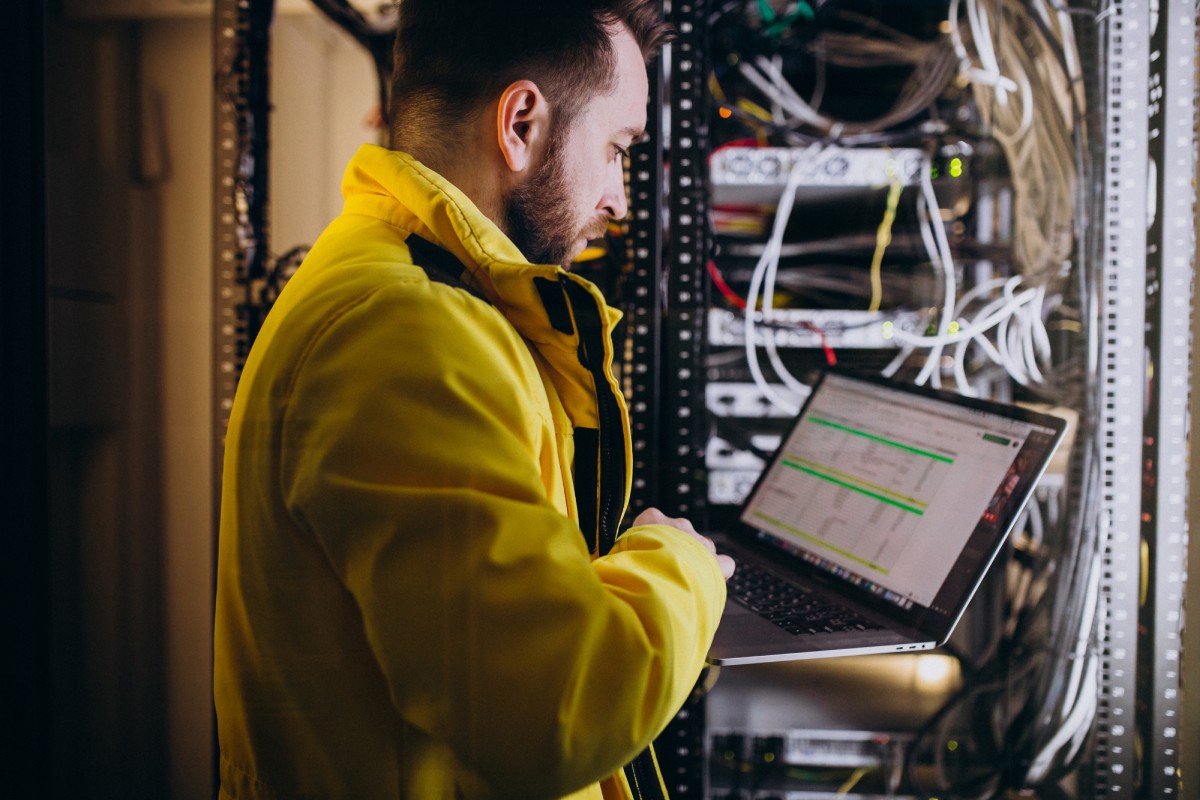
Network Management
Enjoy Zero Downtime With Help From a Proactive IT Support Company in Westchester
We monitor and manage networks 24 / 7 to ensure peak performance, secure connectivity, and minimal disruption. Choose us as your IT support company if you want to ensure every switch, router, and Wi-Fi access point is kept running smoothly.
Backup and Disaster Recovery
Have your Data Managed By an IT Support Company Committed to Your Business Continuity
Are you unsure if your IT support company can keep your technology running in the event of a disaster? We design robust backup strategies and recovery plans that safeguard data and shorten downtime, whether the problem is an accidental deletion or a regional outage.


Cloud Hosted Solutions
Empower Your Business with Secure, Scalable Cloud Hosted Solutions from Cloud 9
From virtual servers to hosted desktops and cloud backups, Cloud 9 delivers the scalability modern businesses need without the cost and complexity of on-premise infrastructure. Our experts ensure every solution is tailored to your workflows, security policies, and long-term business goals, so your team stays productive, protected, and connected.
Sign Up for Our Free IT Support Company Email Newsletter
Discover How a Strategic IT Approach Can Make Your Business More Efficient
Staying ahead in technology is a full-time job. As a long-time IT support company working in Westchester, we're proud to help business leaders avoid costly mistakes by sharing expert guidance before problems arise.
Our email newsletter offers practical insights at the intersection of IT strategy and business operations, helping you make smarter, more informed decisions. You’ll learn:
How a proactive management from the right IT support company can fuel growth and streamline development
What modern cybersecurity should include to protect your organization
How IT solutions can boost productivity, automate routine tasks, and reduce overhead costs
Join a community of professionals who have chosen Cloud 9 as their IT support company, for both IT services and IT insights.

Frequently Asked Questions
What makes Cloud 9 the preferred IT Support Company in Westchester?
Cloud 9 combines over 30 years of hands-on experience and local presence in Westchester with deep technical expertise to deliver outsourced IT services you can trust, offering fast response times, strategic guidance, and personalized support.
What is Outsourced IT Support and when is it needed?
Outsourced IT Support means delegating your technology operations to Cloud 9 as a local IT company. Businesses often adopt this model when internal IT resources are stretched or require specialty skills like cybersecurity, cloud, or compliance.
How do Cloud 9’s Outsourced IT Services improve performance?
Our outsourced IT services deliver proactive monitoring, automated backups, rapid incident resolution, and tailored optimizations, ensuring your systems stay reliable while minimizing downtime.
How does working with a local IT company in Westchester benefit my business?
Partnering with a local IT company like Cloud 9 provides faster onsite support, better understanding of regional infrastructure, and stronger accountability, all crucial when you rely on your IT Support Company daily.
Does Cloud 9 offer 24/7 IT support in Westchester?
Yes. Cloud 9 provides 24/7 IT support for Westchester businesses through our local helpdesk and monitoring team. After-hours coverage is included in all managed IT plans, and emergency incident response is available for co-managed clients on request.
What models of Outsourced IT Services does Cloud 9 offer?
Cloud 9 offers both fully managed IT services and co managed IT Support models. You can choose full responsibility transfer or partial support combined with your internal team, depending on your organization’s needs.
How is quality measured in your IT Support Company services?
We use clear KPIs, such as incident response time, system uptime, ticket resolution metrics, customer satisfaction scores, and security audit results, to measure and report the quality of our outsourced IT support.
How quickly can Cloud 9 begin providing Outsourced IT Support?
We typically initiate onboarding within days of engagement. With structured discovery, planning, and integration, our IT Support Company services are designed to cause minimal disruption to your daily operations.
How secure are your Outsourced IT Services with Cloud 9?
Security is foundational. We build our Outsourced IT Services on industry-standard protocols, firewalls, encryption, multi-factor authentication, monitoring, and compliance frameworks, to protect your data and operations in Westchester and beyond.
Transform Your Business with Reliable IT Support
Call our business managed IT services department directly at (914) 696-4100 or simply fill out this form and we will get in touch with you to set up a getting-to-know-you introductory phone call.
What Happens Next?
Fill in our quick form
We'll schedule an introductory phone call
We'll take the time to listen and plan the next steps
Company
Address
222 Bloomingdale Road
Suite 403White Plains, NY 10605
© Copyright 2026 Cloud 9 Internet. All Rights Reserved. Built with MSP Sites. | City Travel Guide | Privacy Policy


